 Antica AI
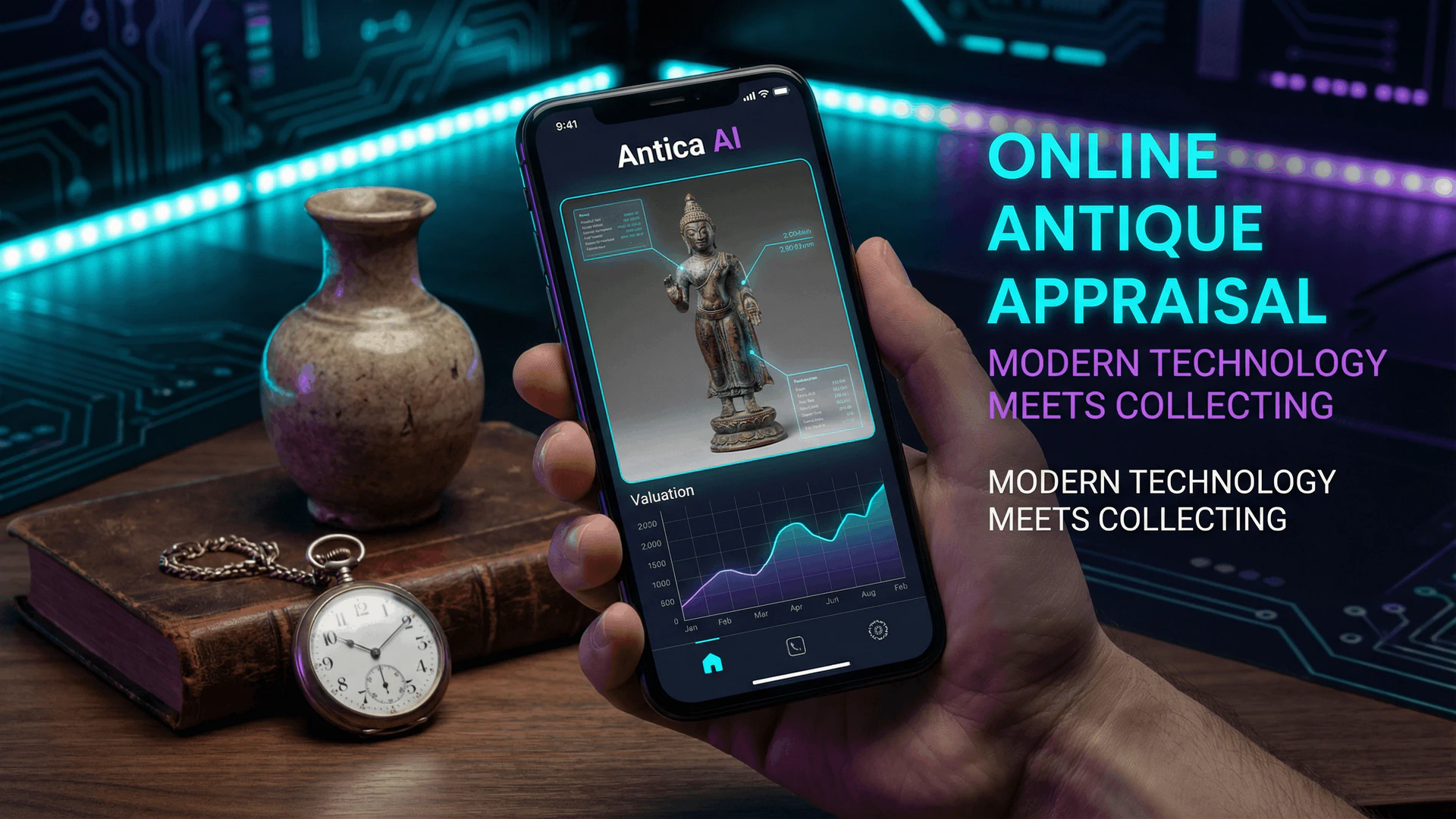
Digital technology has revolutionized antique appraisal, making professional-grade identification and valuation accessible to everyone. Antica AI represents the cutting edge of this transformation, combining artificial intelligence with extensive antique databases to provide instant appraisals from your smartphone. This comprehensive guide walks you through using Antica AI for online antique appraisal, from taking the perfect photo to interpreting results and understanding value estimates.
Understanding Online Antique Appraisal
Online antique appraisal differs from traditional methods in speed, accessibility, and technology. While traditional appraisals require in-person examination by certified appraisers, online tools like Antica AI use photo recognition, machine learning, and market databases to provide instant estimates. These digital appraisals serve multiple purposes: quick identification, preliminary valuations, market research, and collection management.
Online appraisal tools like Antica AI provide instant results, allowing you to research items immediately—whether at an estate sale, antique shop, or your own collection. This speed advantage helps you make informed decisions quickly, without waiting days or weeks for professional appraisals.
However, it's important to understand that online appraisals provide estimates based on visual analysis and market data. For high-value items, insurance purposes, or legal matters, professional certified appraisals remain necessary. Online tools excel at identification, preliminary valuation, and market research—complementing rather than replacing professional expertise.
Getting Started with Antica AI
Before diving into appraisal techniques, let's cover the basics of using Antica AI:
Download and Installation
Antica AI is available on iOS devices through the App Store. Search for "Antica AI" or visit the app's official page. The installation process is straightforward—simply download and open the app. No account creation is required for basic identification features, though creating an account enables additional features like saving appraisals and accessing history.
Understanding the Interface
The Antica AI interface is designed for simplicity. The main screen features a camera button for taking photos, a gallery option for selecting existing images, and access to your appraisal history. The app's design prioritizes ease of use—you can start appraising items within seconds of opening the app.
Basic Navigation
Navigation is intuitive: tap the camera icon to take a photo, select an image from your gallery, or browse your previous appraisals. The app guides you through each step, making it accessible even for users unfamiliar with antique identification technology.
According to user data, Antica AI can identify over 50,000 different antique items across multiple categories including furniture, ceramics, glassware, jewelry, and collectibles. The app's database continues growing, with new items added regularly based on user submissions and market research.
Taking the Perfect Photo for Appraisal
Photo quality directly impacts appraisal accuracy. Poor photos lead to incorrect identifications or failed matches. Follow these guidelines for optimal results:
Lighting Requirements
Good lighting is essential. Natural daylight provides the most accurate colors and reveals details clearly. Avoid harsh shadows—position items so light illuminates evenly. If using artificial light, use multiple sources to eliminate shadows. Avoid flash photography when possible, as it can create glare and wash out details.
Background Considerations
Use a neutral, uncluttered background. A plain white or light-colored surface works best, allowing the app to focus on the item itself. Avoid busy backgrounds, patterns, or multiple items in one photo—these confuse the identification algorithm. If photographing furniture or large items, ensure the background doesn't compete for attention.
Angle and Perspective
Take photos from multiple angles. Start with a front-facing view showing the item's primary features. Add side views, top views, and detail shots of maker's marks, signatures, or distinctive features. The more angles you provide, the more accurate the identification. For furniture, include shots of construction details like joints and hardware.
Focus and Clarity
Ensure photos are sharp and in focus. Tap your phone screen to focus on the item before taking the photo. Avoid blurry images—they prevent accurate identification. If photographing small details like marks or signatures, use your phone's zoom feature or move closer, maintaining focus throughout.
Distance and Framing
Frame the item appropriately—not too close, not too far. The item should fill most of the frame while leaving some space around edges. For small items, fill the frame completely. For large items like furniture, include the entire piece in the photo. Multiple photos from different distances help the app understand scale and proportions.
- Use natural daylight or multiple soft light sources
- Neutral, uncluttered background
- Multiple angles (front, side, top, details)
- Sharp focus on key features
- Item fills frame appropriately
- Include maker's marks or signatures if visible
📺 Watch Videos: How to Photograph Antiques for Appraisal
Step-by-Step Appraisal Process
Follow this systematic process for best results with Antica AI:
Step 1: Prepare the Item
Clean the item gently, removing dust and debris that might obscure details. Ensure maker's marks, signatures, or labels are visible. For furniture, check drawers, backs, and undersides for marks. Position the item on a neutral background with good lighting.
Step 2: Take Multiple Photos
Capture the item from multiple angles. Start with an overall view showing the complete item. Add close-ups of distinctive features, maker's marks, construction details, and any damage or wear. The more information you provide, the more accurate the appraisal.
Step 3: Upload to Antica AI
Open Antica AI and select your best photo—typically the front-facing overall view. You can upload additional photos after the initial identification for more detailed analysis. The app processes images quickly, usually within seconds.
Step 4: Review Identification Results
Antica AI provides identification results including item type, style, period, and potential maker. Review these carefully—check if the identification matches what you know about the item. The app may provide multiple possible matches with confidence percentages.
Step 5: Analyze Value Estimates
Value estimates appear as ranges based on condition, rarity, and market data. Understand that these are estimates—actual values depend on many factors. Compare the estimate with recent sales data if available. Consider condition adjustments—items in poor condition may fall below the estimated range.
Step 6: Save and Document
Save your appraisal results for future reference. Antica AI allows you to create a digital inventory of your collection. Document condition notes, purchase prices, and any additional research you've conducted. This creates a comprehensive record for insurance, estate planning, or collection management.
Interpreting Appraisal Results
Understanding Antica AI's results requires knowledge of how the app analyzes items:
Identification Confidence Levels
Antica AI provides confidence percentages for identifications. High confidence (80%+) indicates strong matches with the database. Medium confidence (50-79%) suggests possible matches requiring verification. Low confidence (<50%) may indicate rare items, poor photos, or items not in the database. Always verify low-confidence identifications through additional research.
Value Range Interpretation
Value estimates appear as ranges (e.g., $500-$800) reflecting market variability. The lower end typically represents items in fair condition or common examples. The higher end reflects excellent condition, rarity, or exceptional provenance. Your item likely falls within this range, adjusted for actual condition.
Market Context
Antica AI provides market context including historical period, style characteristics, and collecting trends. This information helps you understand why items have value and how market factors affect prices. Use this context to make informed decisions about buying, selling, or insuring items.
Condition Considerations
Value estimates assume items in good to excellent condition. Adjust estimates downward for damage, repairs, missing parts, or significant wear. Learn to assess condition accurately—minor wear may reduce value by 10-20%, while significant damage can reduce value by 50% or more. Document condition issues in your appraisal records.
Antica AI's value estimates are based on market data and visual analysis. They provide starting points for research, not definitive appraisals. For high-value items (over $5,000), insurance purposes, or legal matters, consult certified professional appraisers who can provide detailed written appraisals with legal standing.
Advanced Appraisal Techniques
Experienced users employ advanced techniques to maximize Antica AI's effectiveness:
Multiple Photo Analysis
Upload photos from different angles and distances. Start with overall views, then add detail shots. The app can analyze multiple images to build a comprehensive understanding of the item. This multi-photo approach significantly improves identification accuracy.
Comparative Analysis
Use Antica AI to appraise similar items and compare results. If you have multiple pieces from the same maker or period, appraise them together to understand value patterns. This comparative approach helps identify outliers and understand market trends.
Historical Research Integration
Combine Antica AI results with historical research. Use the app's identification to guide research into makers, periods, and styles. Cross-reference app results with printed price guides, auction databases, and dealer listings. This integrated approach provides the most comprehensive understanding.
Market Trend Monitoring
Appraise items regularly to track value changes over time. Market trends affect antique values—items may increase or decrease in value based on collecting trends, economic conditions, and market demand. Regular appraisals help you understand how your collection's value evolves.
📺 Watch Videos: Antique Appraisal App Tutorial
Common Appraisal Challenges and Solutions
Users encounter various challenges when appraising antiques online. Here's how to address them:
Challenge: Unclear or Missing Maker's Marks
Solution: Take multiple close-up photos of any marks, even if unclear. Use your phone's zoom feature or a magnifying glass app to enhance detail. If marks are completely missing, focus on style characteristics, construction methods, and design elements. Antica AI can often identify items based on style alone.
Challenge: Poor Photo Quality
Solution: Improve lighting, use a tripod or stable surface, and ensure focus. Take photos in natural daylight when possible. Clean your phone's camera lens. If photos remain poor, consider using a digital camera and transferring images to your phone.
Challenge: Rare or Unusual Items
Solution: Rare items may not appear in Antica AI's database. Use the app's style and period identification to guide research. Search auction databases, dealer listings, and specialized resources. Consider consulting professional appraisers for truly unique items.
Challenge: Conflicting Value Estimates
Solution: Value estimates vary based on condition, market timing, and data sources. Compare Antica AI's estimate with recent auction sales, dealer prices, and printed price guides. Consider all sources and adjust for condition and market factors. When estimates conflict significantly, professional appraisal may be necessary.
Challenge: Condition Assessment
Solution: Learn to assess condition accurately. Document all damage, repairs, and wear in photos. Compare your item's condition to condition descriptions in price guides. Understand how condition affects value—this knowledge helps you interpret value estimates correctly.
Best Practices for Online Appraisal
Follow these best practices to maximize the effectiveness of online appraisal:
1. Use Multiple Sources
Don't rely solely on Antica AI. Cross-reference results with printed price guides, auction databases, and dealer listings. Multiple sources provide more accurate valuations and help identify outliers or errors.
2. Document Everything
Save appraisal results, photos, and research notes. Create a digital inventory of your collection. This documentation is valuable for insurance, estate planning, and collection management.
3. Understand Limitations
Recognize that online appraisals provide estimates, not definitive values. For high-value items or legal purposes, professional appraisals remain necessary. Use online tools for research and preliminary valuations.
4. Keep Learning
Continuously improve your antique knowledge. Study styles, periods, makers, and market trends. The more you know, the better you can interpret appraisal results and make informed decisions.
5. Verify Identifications
Always verify app identifications through additional research, especially for high-value items. Compare app results with printed guides, auction catalogs, and expert opinions. Verification prevents costly mistakes.
When to Seek Professional Appraisal
While Antica AI is powerful, certain situations require professional appraisers:
- High-value items: Items worth over $5,000 typically require professional appraisal for accurate valuation.
- Insurance purposes: Most insurers require certified appraisals from qualified appraisers for valuable items.
- Legal matters: Court cases, estate planning, divorces, or disputes require certified appraisals with legal standing.
- Unique or rare items: One-of-a-kind items may not appear in databases and require expert examination.
- Complex authentication: Items requiring detailed examination, testing, or provenance research need professional expertise.
Professional appraisers combine visual examination, market research, and expertise to provide detailed written appraisals. They understand legal requirements, insurance standards, and market nuances that online tools cannot fully address.
📺 Watch Videos: Professional vs Online Antique Appraisal
Building Your Appraisal Skills
Effective use of Antica AI improves with practice and knowledge:
Study Antique Styles and Periods
Learn to recognize major styles (Victorian, Art Deco, Mid-Century Modern, etc.) and historical periods. Understanding style characteristics helps you interpret app results and identify items even when marks are missing.
Learn About Makers and Manufacturers
Study prominent makers in your collecting areas. Knowledge of maker characteristics, marks, and production periods helps verify app identifications and understand value factors.
Understand Market Factors
Learn how condition, rarity, provenance, and market trends affect values. This knowledge helps you interpret value estimates and make informed decisions about buying, selling, or insuring items.
Practice Regularly
Appraise items regularly to build skills. Practice with items you know well to understand how the app works. Gradually expand to unknown items, comparing app results with your research.
Conclusion: Mastering Online Appraisal
Antica AI revolutionizes antique appraisal by making professional-grade identification and valuation accessible to everyone. By following best practices—taking quality photos, understanding results, cross-referencing sources, and recognizing limitations—you can effectively use online appraisal tools for research, collection management, and preliminary valuations.
Remember that online appraisals complement rather than replace professional expertise. For high-value items, insurance purposes, or legal matters, certified appraisals remain necessary. However, for everyday research, collection inventory, and preliminary valuations, Antica AI provides powerful tools that save time and improve decision-making.
As you develop your appraisal skills, Antica AI becomes increasingly valuable. The combination of technology, knowledge, and practice creates a comprehensive approach to antique identification and valuation. Start appraising items today, and build your expertise over time—every appraisal teaches you something new about antiques and market values.
📺 Watch Videos: Antica AI App Review and Tutorial
Ready to Start Appraising Antiques Online?
Appraising antiques can feel overwhelming—how do you know if an item is valuable? What if you can't identify it? The truth is, effective antique appraisal requires combining technology with knowledge: using tools like Antica AI for instant identification, cross-referencing multiple sources for accurate values, and understanding how condition, rarity, and market trends affect prices.
An item's value depends on many factors: identification accuracy, condition assessment, market timing, and comparable sales. Online appraisal tools provide starting points, but the most accurate valuations come from combining app results with market research and professional expertise when needed.
Feeling overwhelmed by antique appraisal or need instant identification? Antica AI is like having an antique expert in your pocket. Just snap a photo to get instant identification, estimated value ranges, and market context—turning your appraisal questions into confident answers.
Download Antica AI